I’ve always been a fan of Sequel Pro. A straightforward SQL management tool, useful for local work, but also for managing production data over SSH.
Unfortunately, Sequel Pro has been abandoned a long time ago. It has served me well up to earlier this year, when Apple moved away from Rosetta2 on Macos 27, and now it no longer works.
Sequel ACE has had too many issues for me, breaking my workflow, I don’t like paying for software, especially a subscription, when I know there are free but more importantly BETTER alternatives out there.
So I set out to build my own. I wrote it in Swift, for myself, but ran into difficulties soon. I enlisted Claude to help out, we got far, but still too many problems, even basic ones like panel sizing/table alignment. Basic stuff. Internet no help, Claude no help, so, down the drain.
Very recently, I gave Claude another go, but this time, no interference from me, just prompts to guide it to the solution I need, I want, not what the universe is requiring of me.
So, LocalWP first, MySQL. Nothing more, nothing less.
Next version included SSH connectivity and other Database types, read-only mode for production databases.
And now version 0.2.0 is available and it has MCP support. YOU decide how agents can interact with the data, settings per database. Read Only? fine. Ask on each write? done. Use TouchID or Password on each write? You got it.
This is what Claude has to say, when I asked it to create a blog-post and screenshots about it
RaSQL is a free, open source database manager built for the way web developers actually reach their databases: a socket on the laptop, TCP on localhost, an SSH tunnel to a server. Version 0.2 adds an MCP server, so agents such as Claude Code can work with your data, but only with the connections you open up for them, and never change anything without your say-so.
OBVIOUSLY this is Claude co-authored software, and my standard disclaimer applies;
If you don’t like AI software, then, please, feel free to pass.
Nobody is forcing you.
Download RaSQL on my github, and ensure to read the documentation on how to install, either from source, or using a pre-built binary.
If you find issues, especially security related, LET ME KNOW. I ask claude after every update we make to scan for possible attack vectors, but AI is non-deterministic (a.k.a. “never the same answer twice”) so different people scanning with different models can find different issues.
Comments are open :)
Here’s what Claude wrote, when I asked it to write the post and make screenshots;
This post walks through what RaSQL can do today. Every screenshot comes from the real app, running against a small demo shop database.
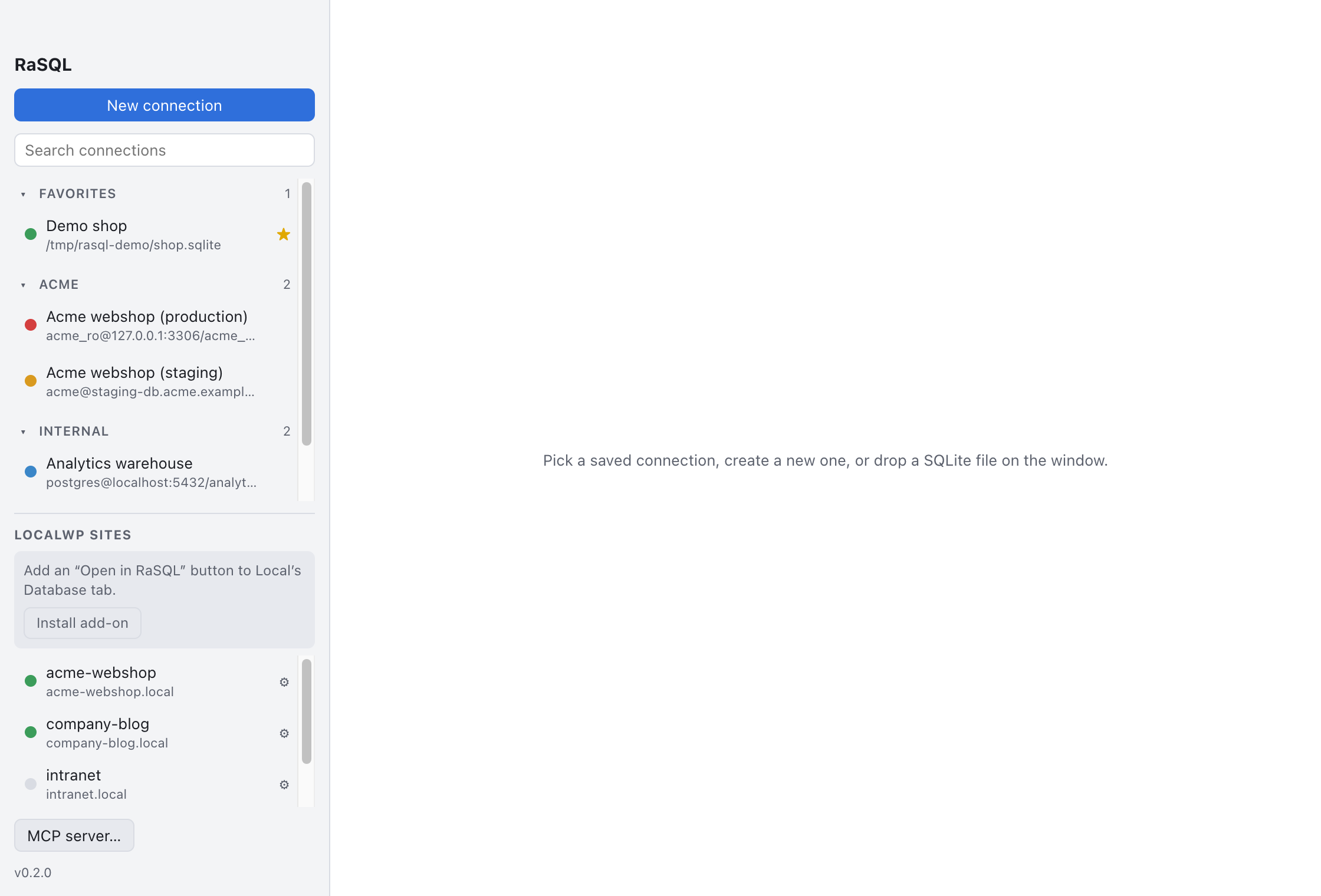
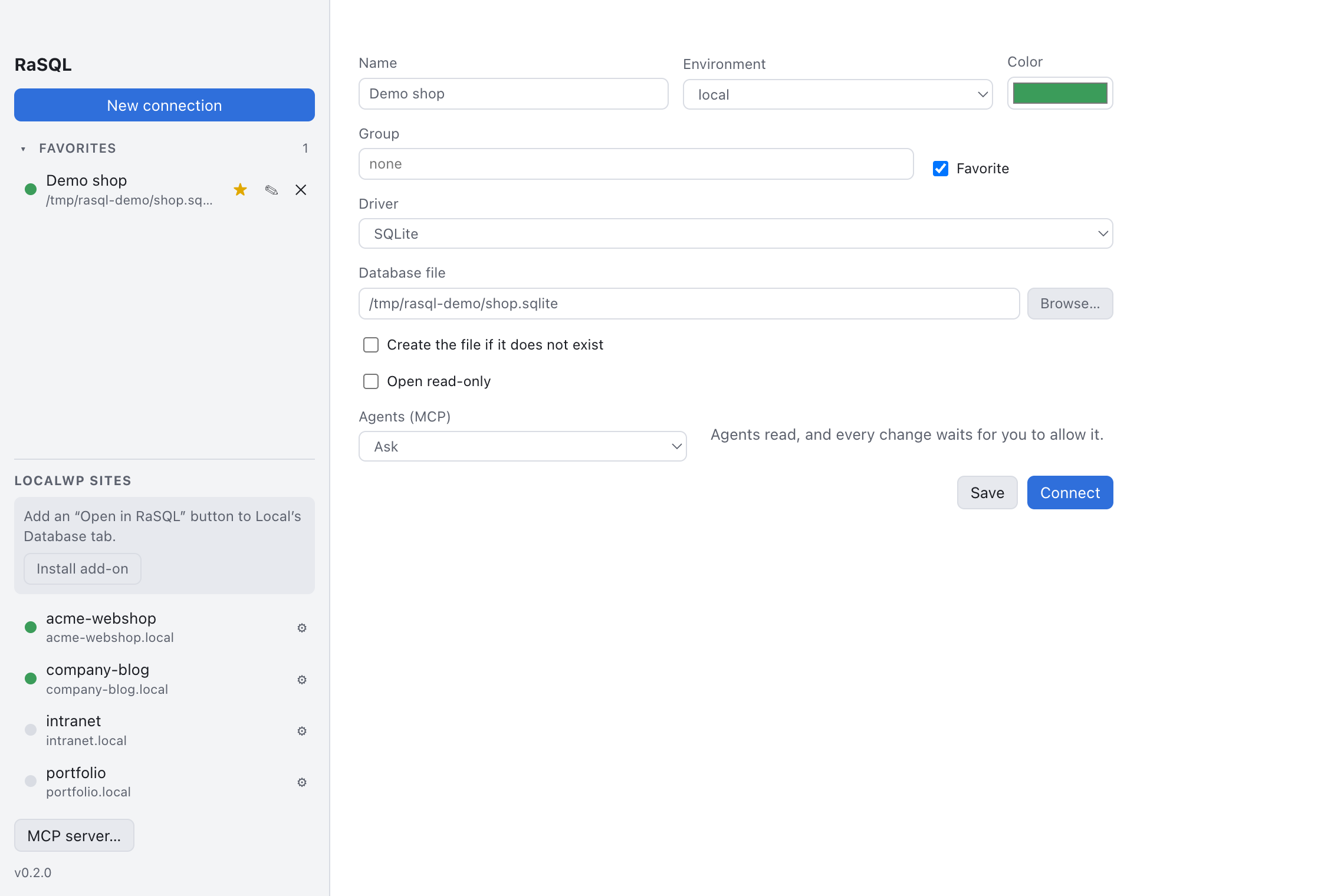
Your connections, in one place
The connection manager groups your connections per client or project, keeps favorites at the top, and searches across names, groups and hosts. A colored dot tells you at a glance whether a connection is local, development, staging or production.
If you use LocalWP, RaSQL finds your Local sites on its own: running sites open with one click, over the site’s own MySQL socket, without typing any credentials. An optional add-on puts an “Open in RaSQL” button on Local’s Database tab.

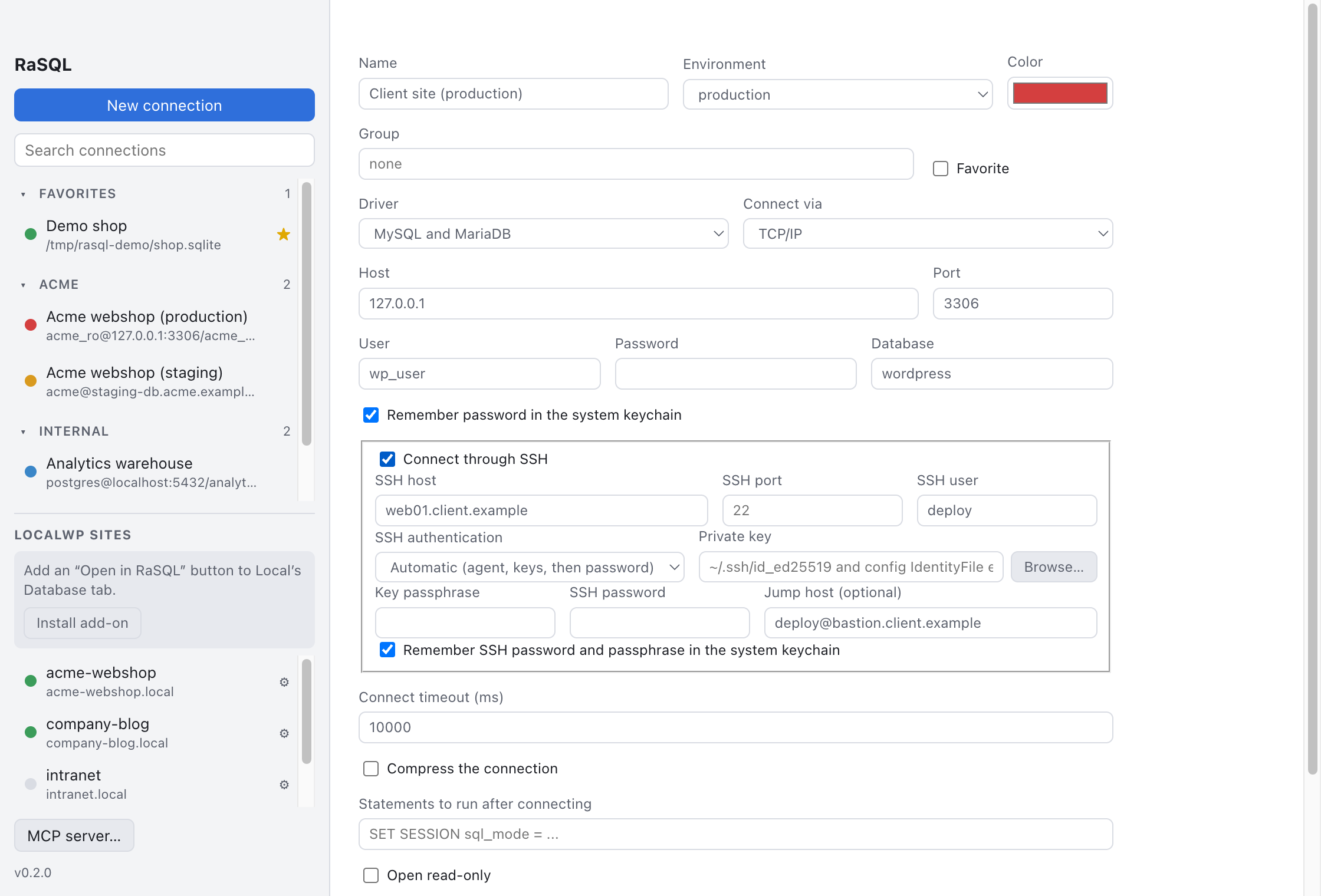
New connections cover SQLite, MySQL and MariaDB, PostgreSQL and SQL Server, over TCP, a Unix socket, or SSH. SSH can go through a jump host and reads your ~/.ssh/config, so aliases, keys and the SSH agent just work. Passwords go into the system keychain, never into a settings file.
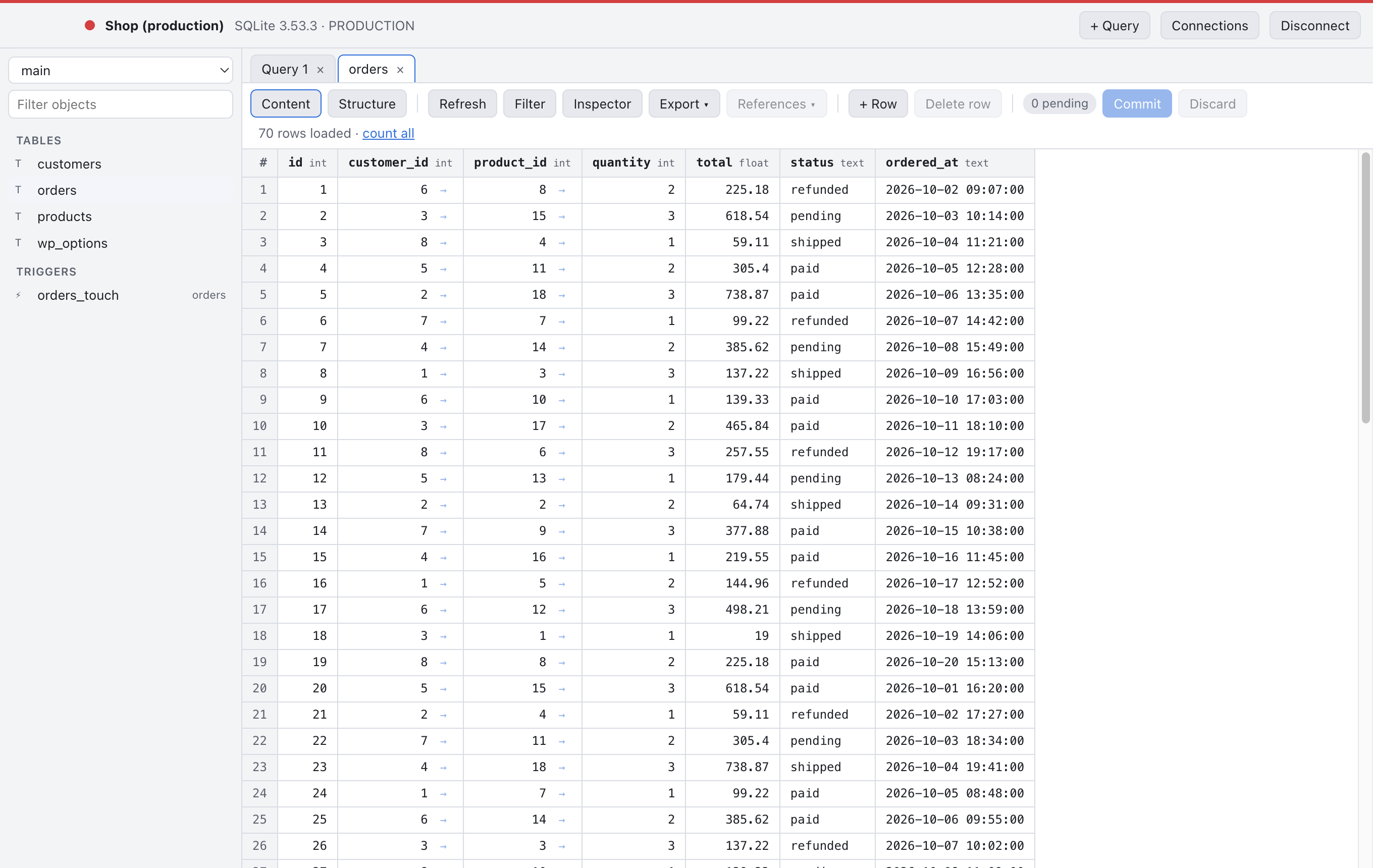
Production looks like production
Each connection opens in its own window. The bar at the top takes the environment’s color, so a production database never looks like your local copy. A production connection can also be set to open read-only.

Browse and edit like a spreadsheet, commit like a DBA
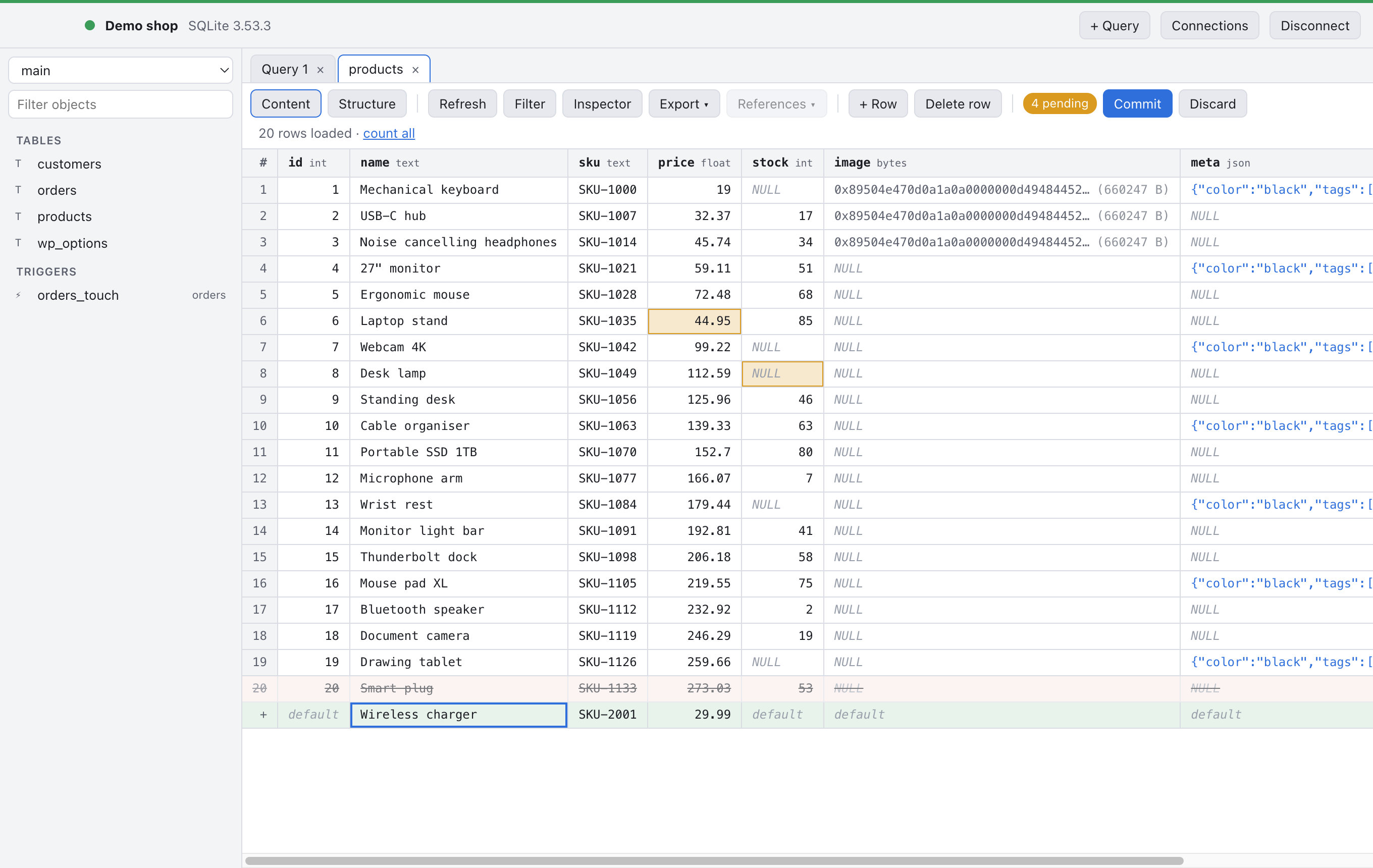
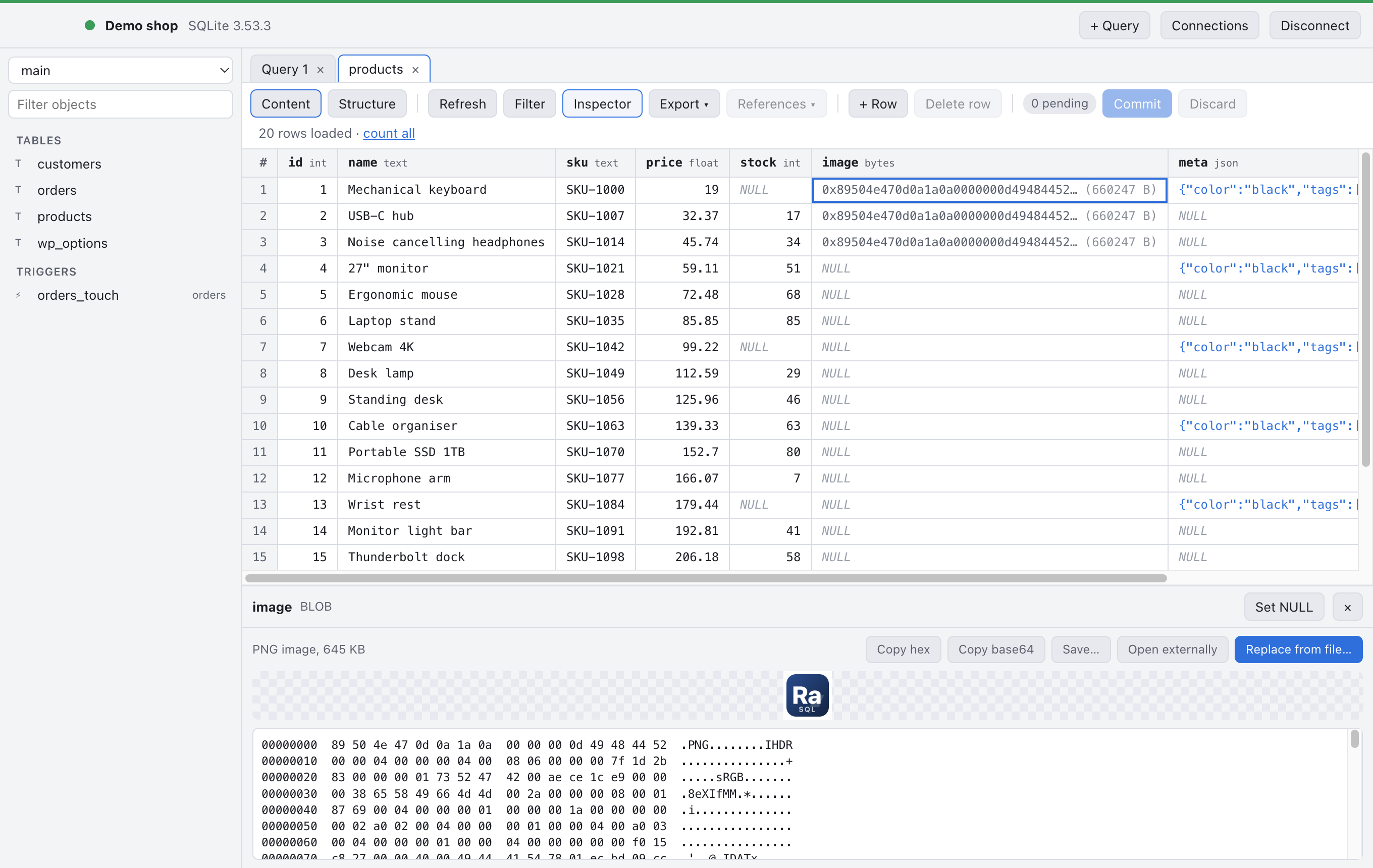
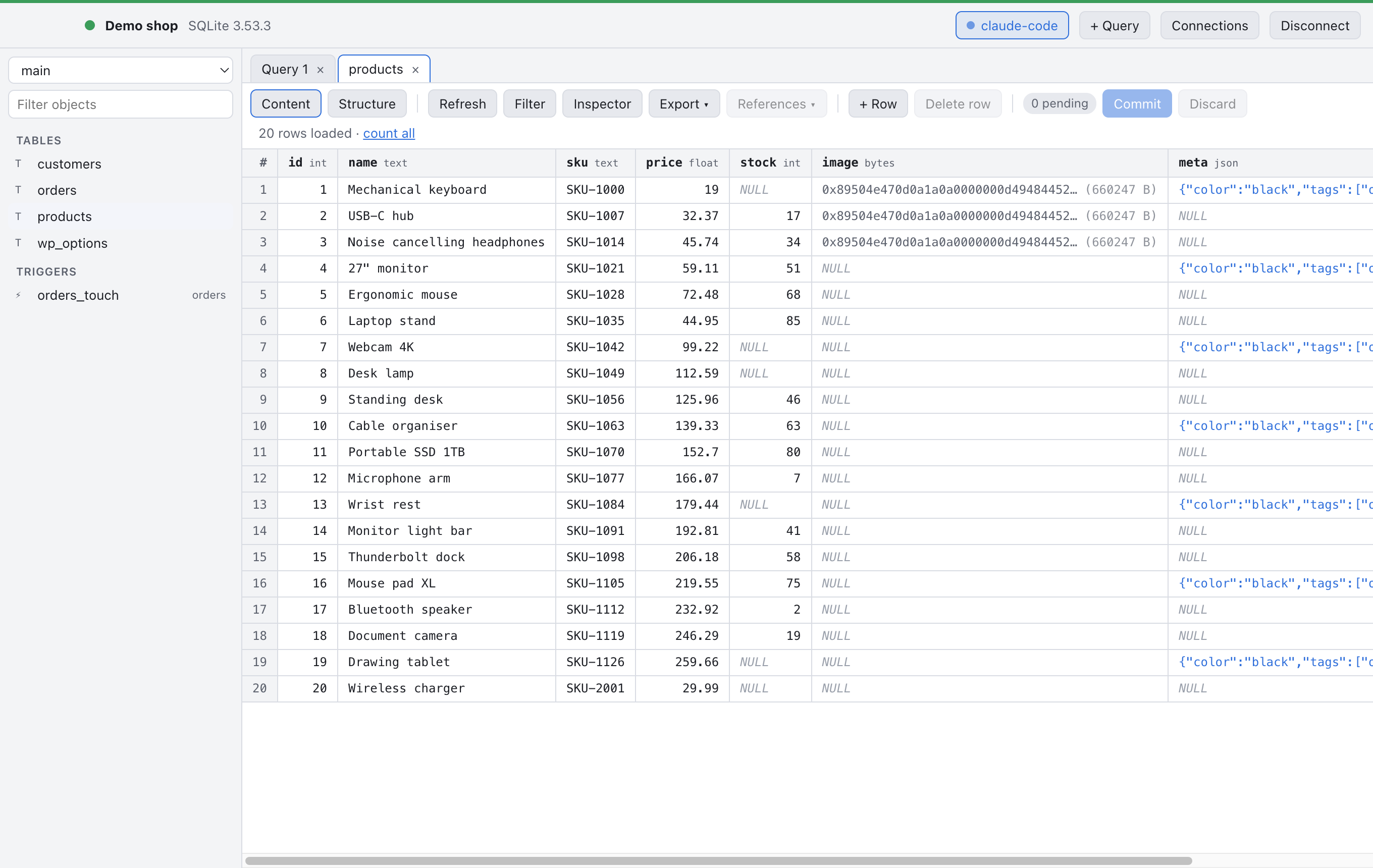
Tables open in a fast grid that knows its types: NULL looks different from an empty string, binary data shows as bytes, JSON is highlighted.
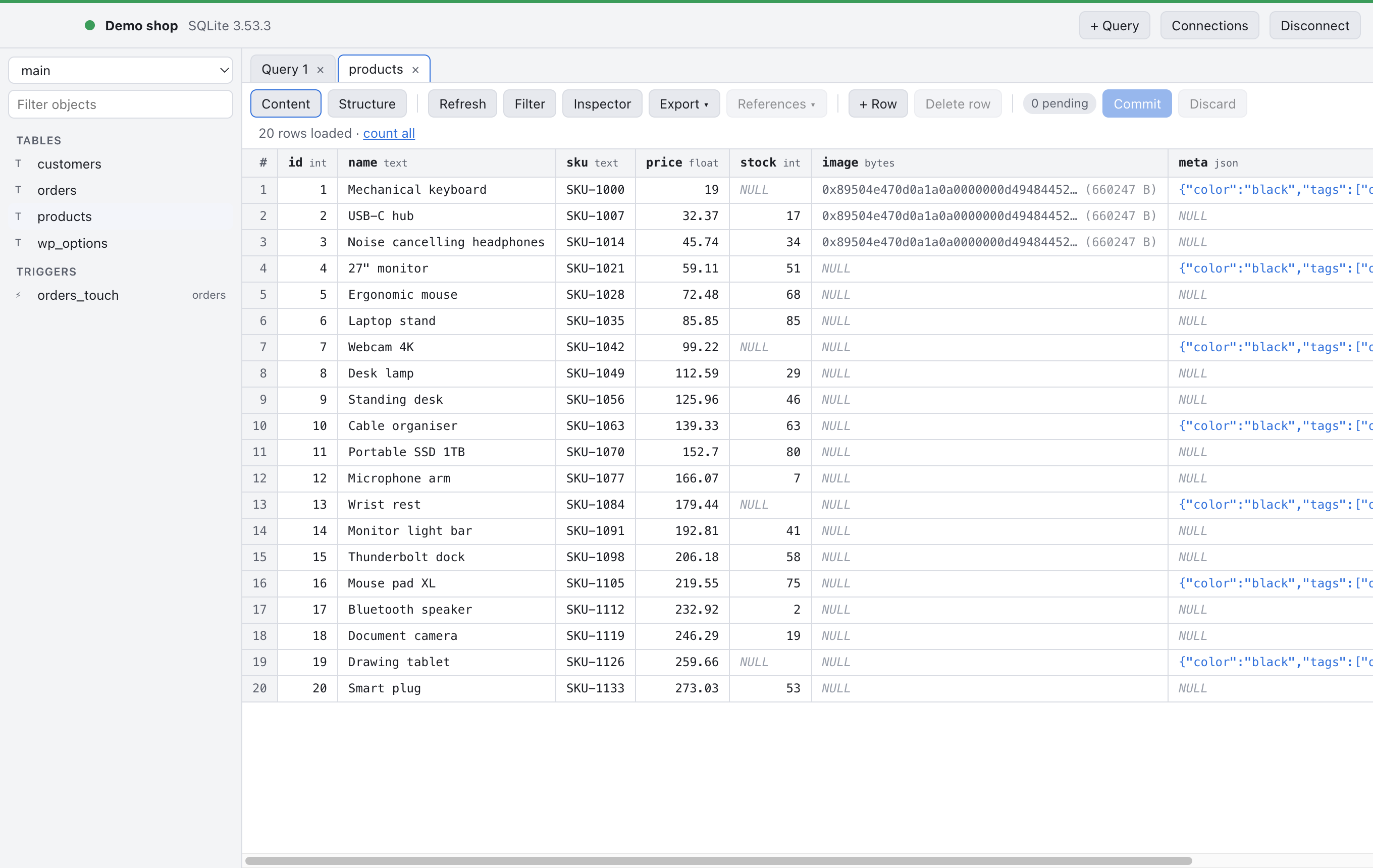
Edits are staged, not written. Change a cell, set a value to NULL, mark a row for deletion, add a new row: RaSQL collects it all, shows what is pending, and commits everything in one transaction when you press Commit. If one statement fails, nothing is written. In the demo, deleting a product that still had orders was refused by the foreign key, and the whole commit rolled back cleanly.
Filters without writing SQL
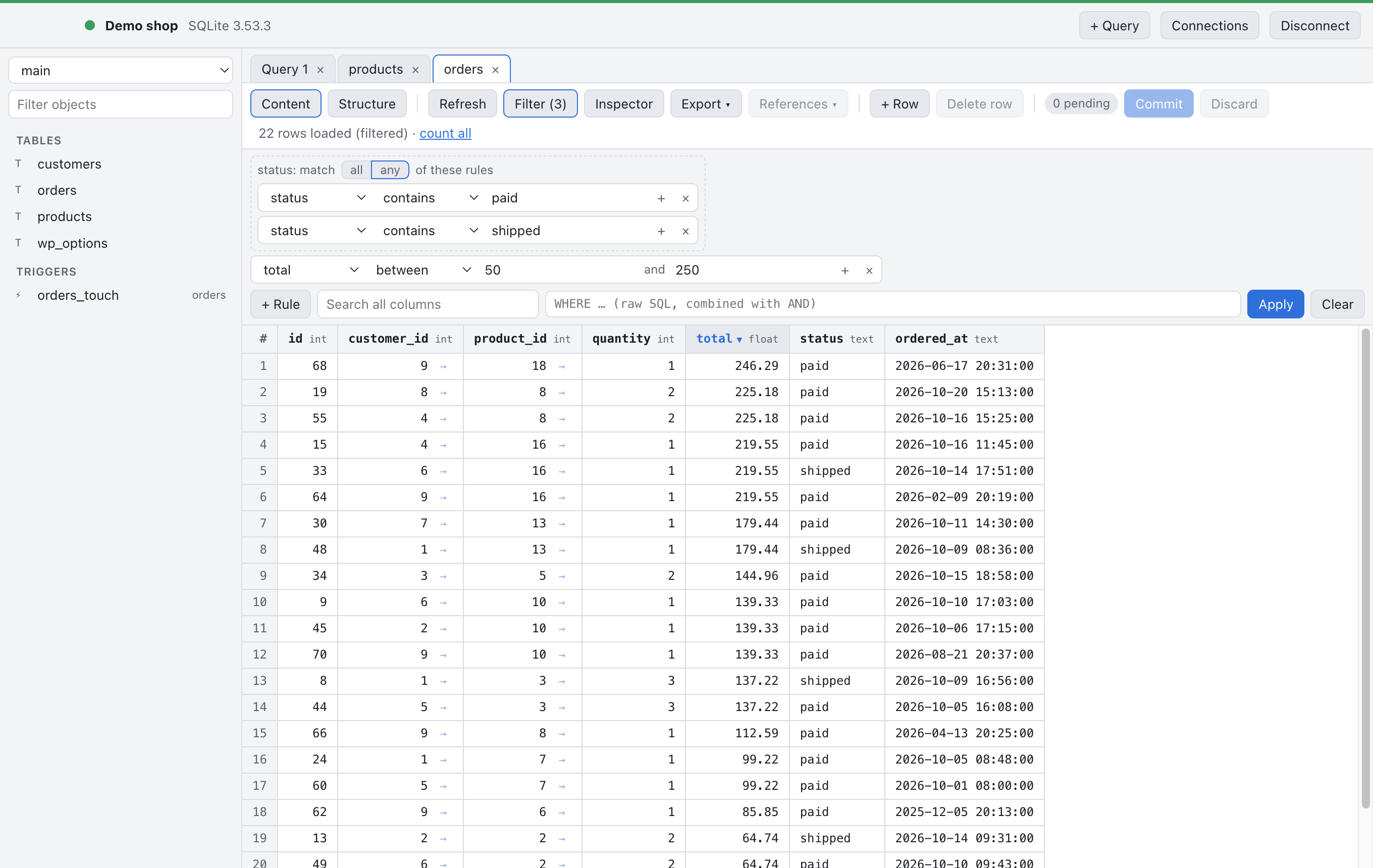
Build filters from rules: pick a column and an operator such as contains, equals or between. Rules on the same column form a group that matches all or any of them. A quick search looks through every column, and if you prefer, a raw WHERE clause is combined with the rules. Click a column header to sort.
Follow foreign keys, both ways
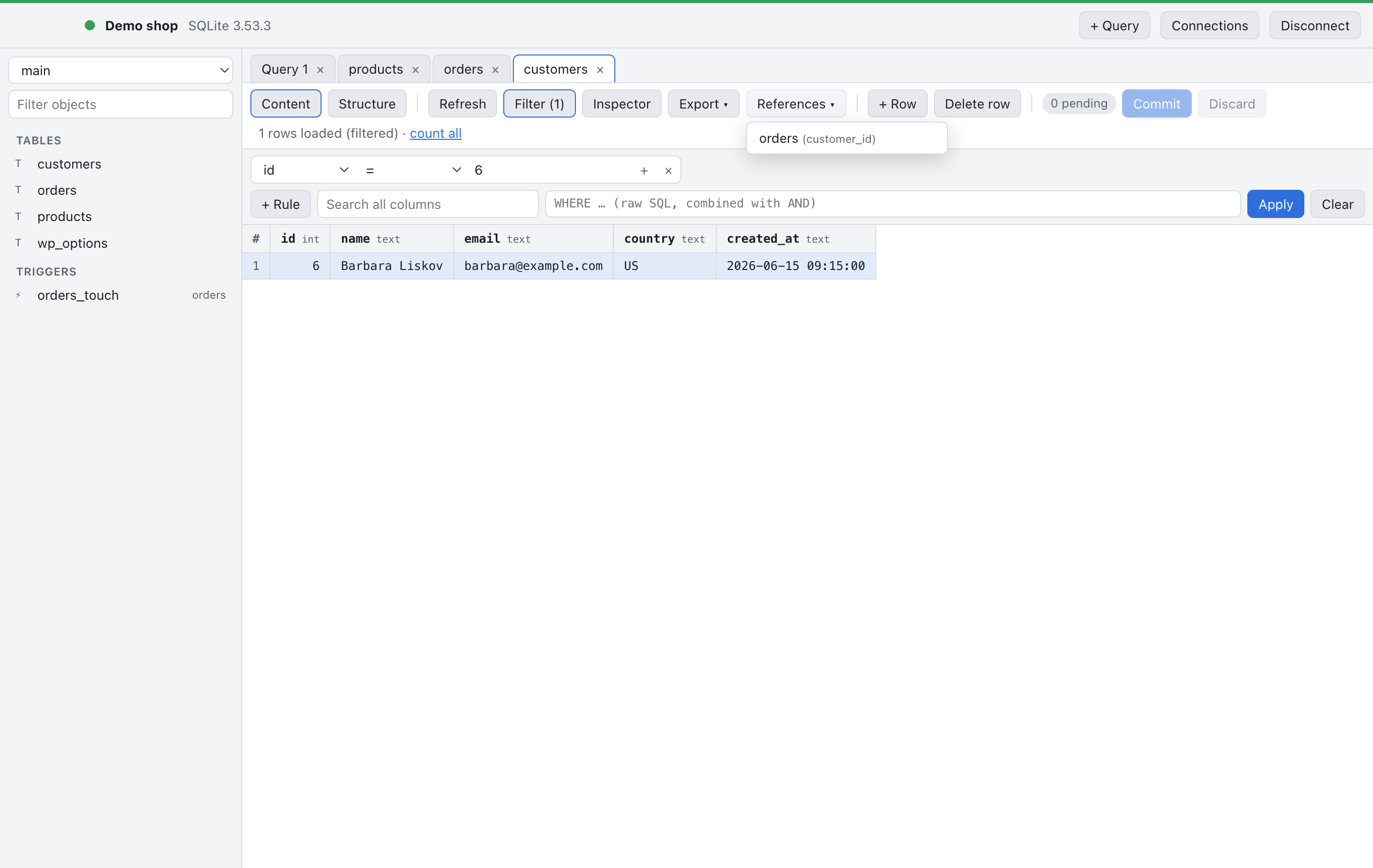
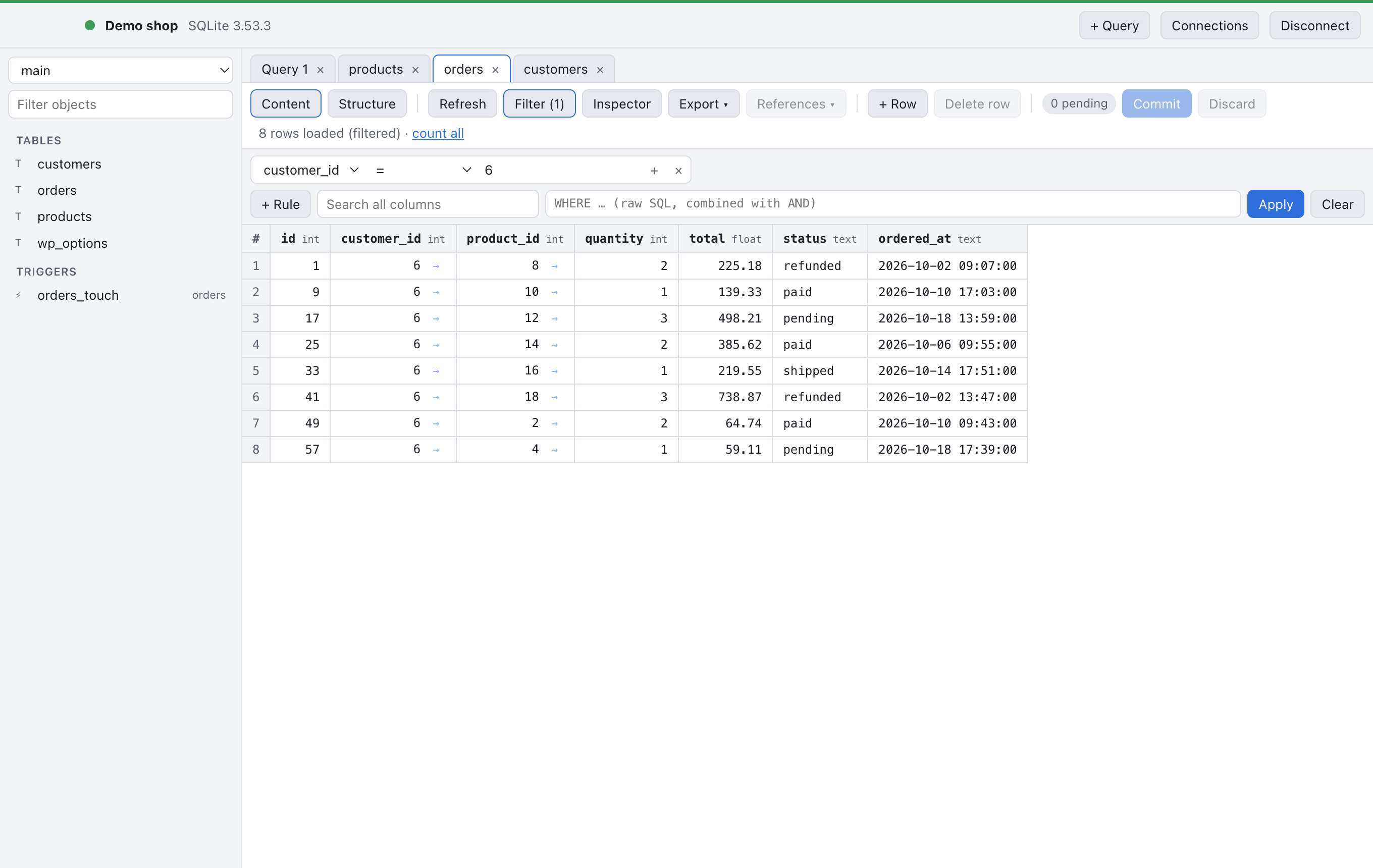
Every foreign key value gets a small arrow. Click it and the referenced row opens in a new tab, already filtered. The References menu goes the other way: select a customer and jump to all of their orders.
An inspector that understands your data
The inspector shows what is really inside a cell. Binary data is recognized: images get a preview, everything gets a hex dump, and you can save a blob to a file or replace it from one. JSON is pretty-printed, and text that turns out to be base64 can be decoded on the spot.
For WordPress developers there is one more: PHP serialized data opens as an editable tree. Change a string, a number or even a class name, and RaSQL rewrites the byte lengths for you, so s:12:"…" is always right, multibyte characters included. Protected and private properties keep their markers. No more broken options after a search and replace by hand.
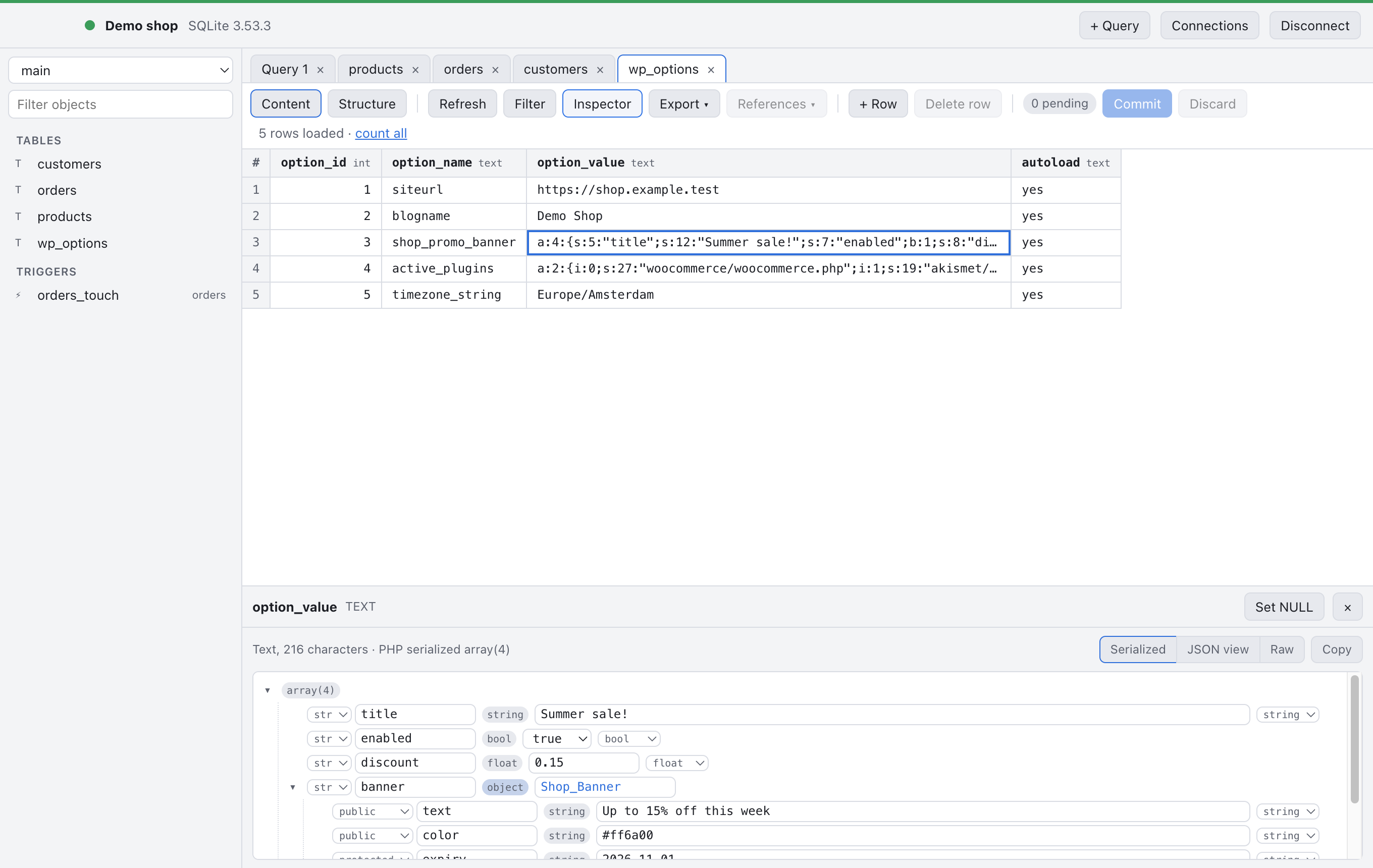
wp_options, as a tree you can edit safely.A real query editor
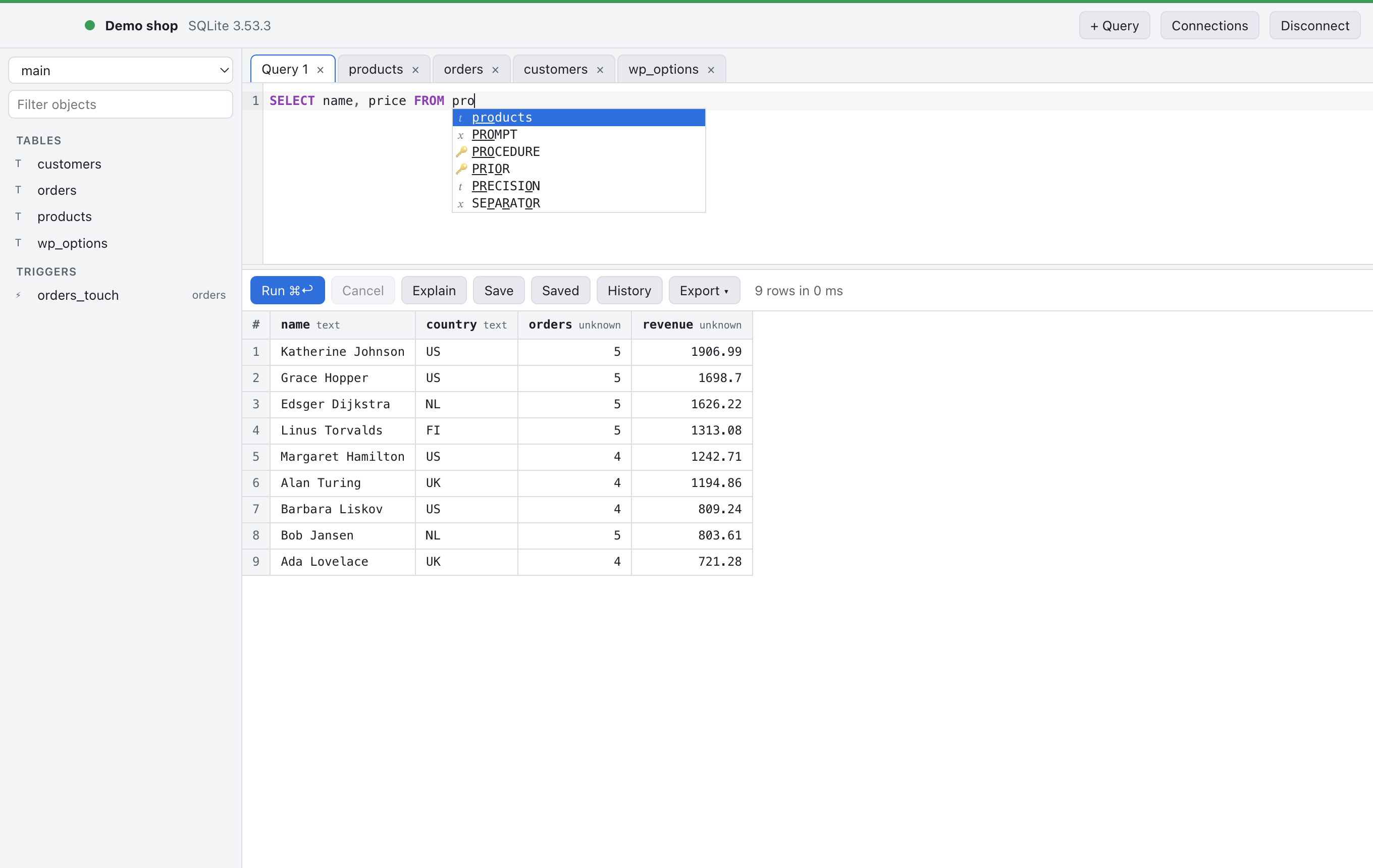
The SQL editor highlights syntax, runs the statement under the cursor with ⌘↩ (Ctrl+Enter on Windows and Linux), and completes table and column names as you type. Every run lands in the history, and queries you want to keep can be saved per connection.
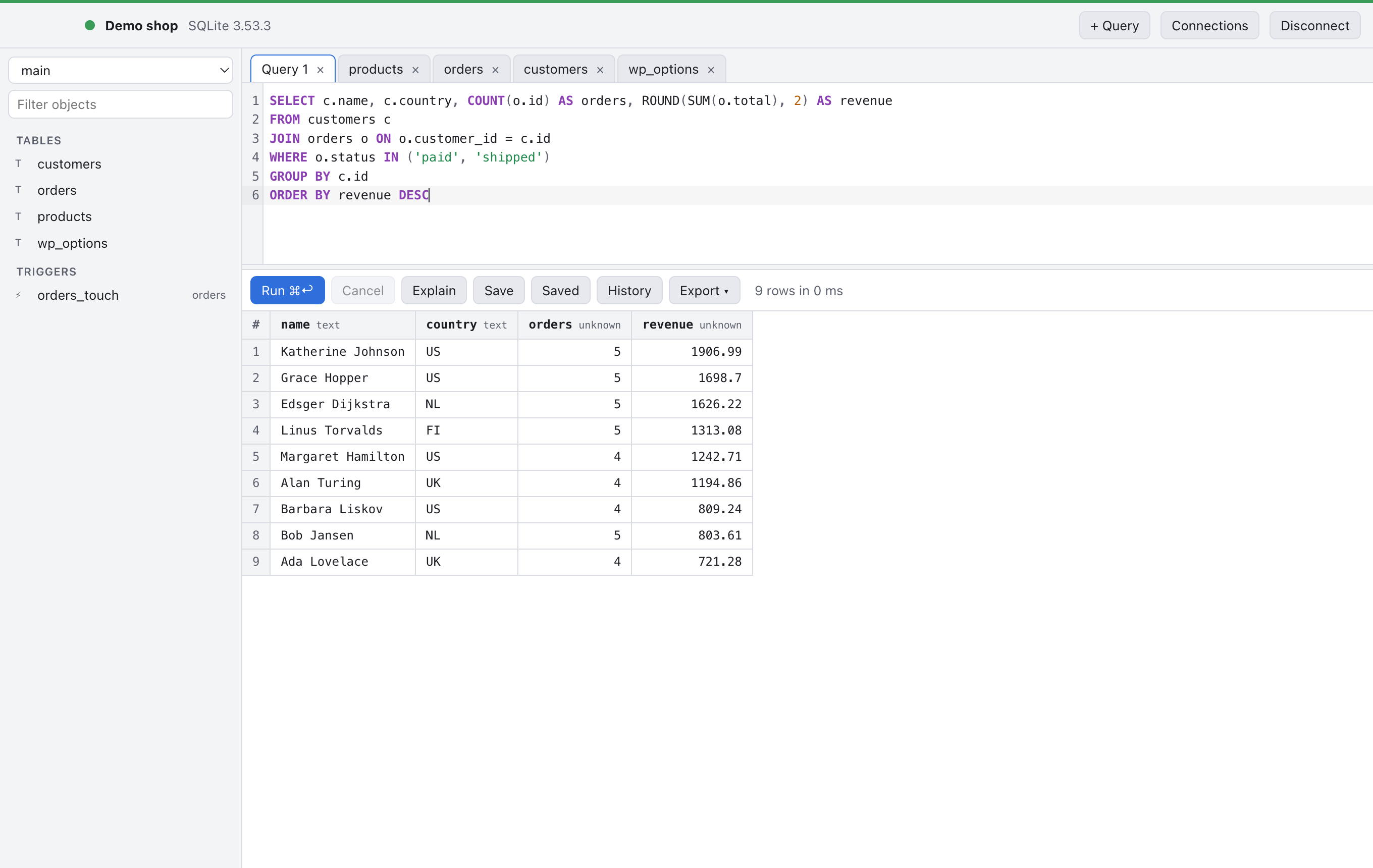
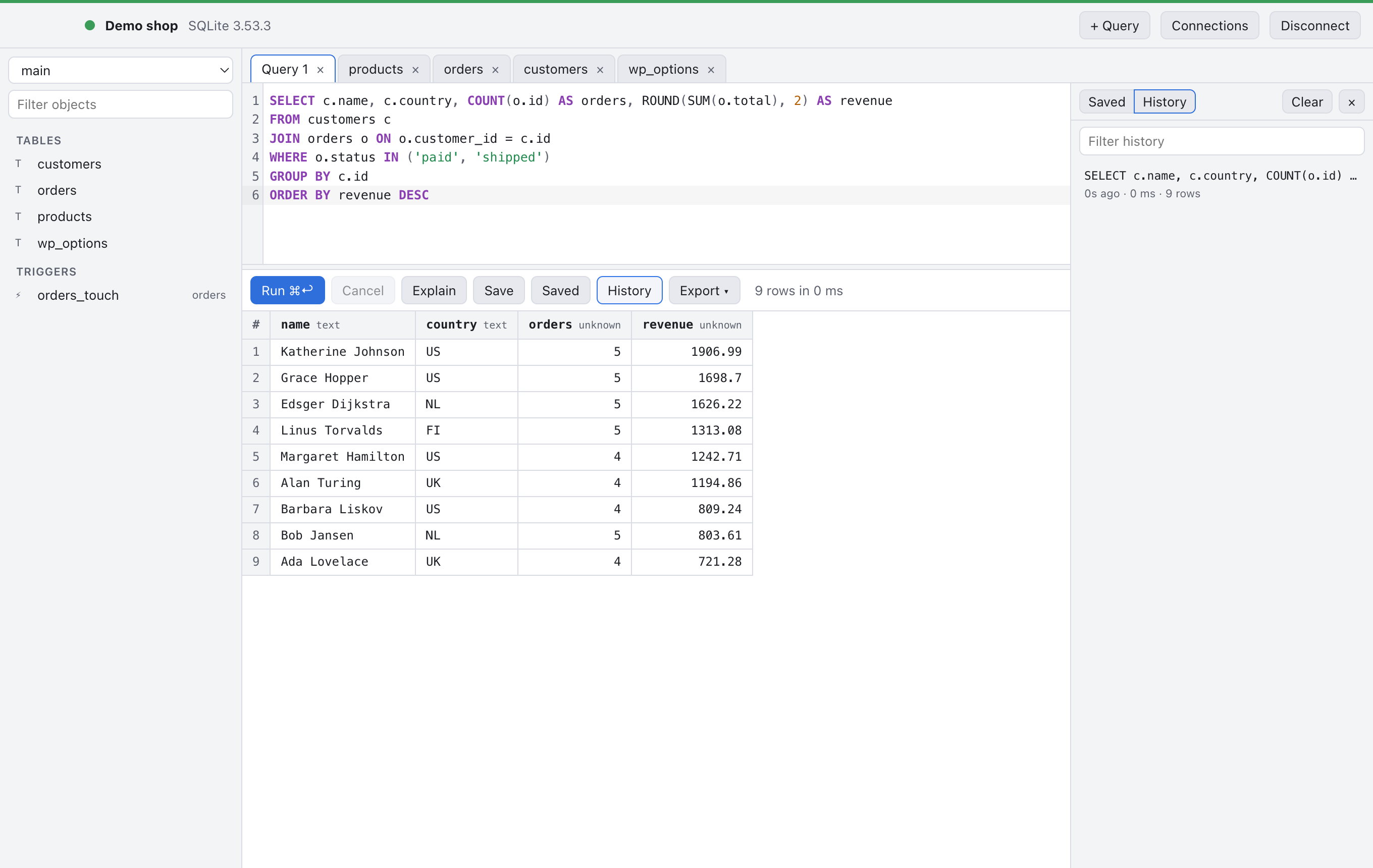
Results, and whole tables, export to CSV or JSON.
Change the structure, see the SQL first
The structure editor lets you rename, add, drop and reorder columns, pick types in plain words (“Whole number”, “Text”) next to the engine’s own names, set defaults, and add indexes. Before anything runs, RaSQL shows the exact SQL it is going to execute.
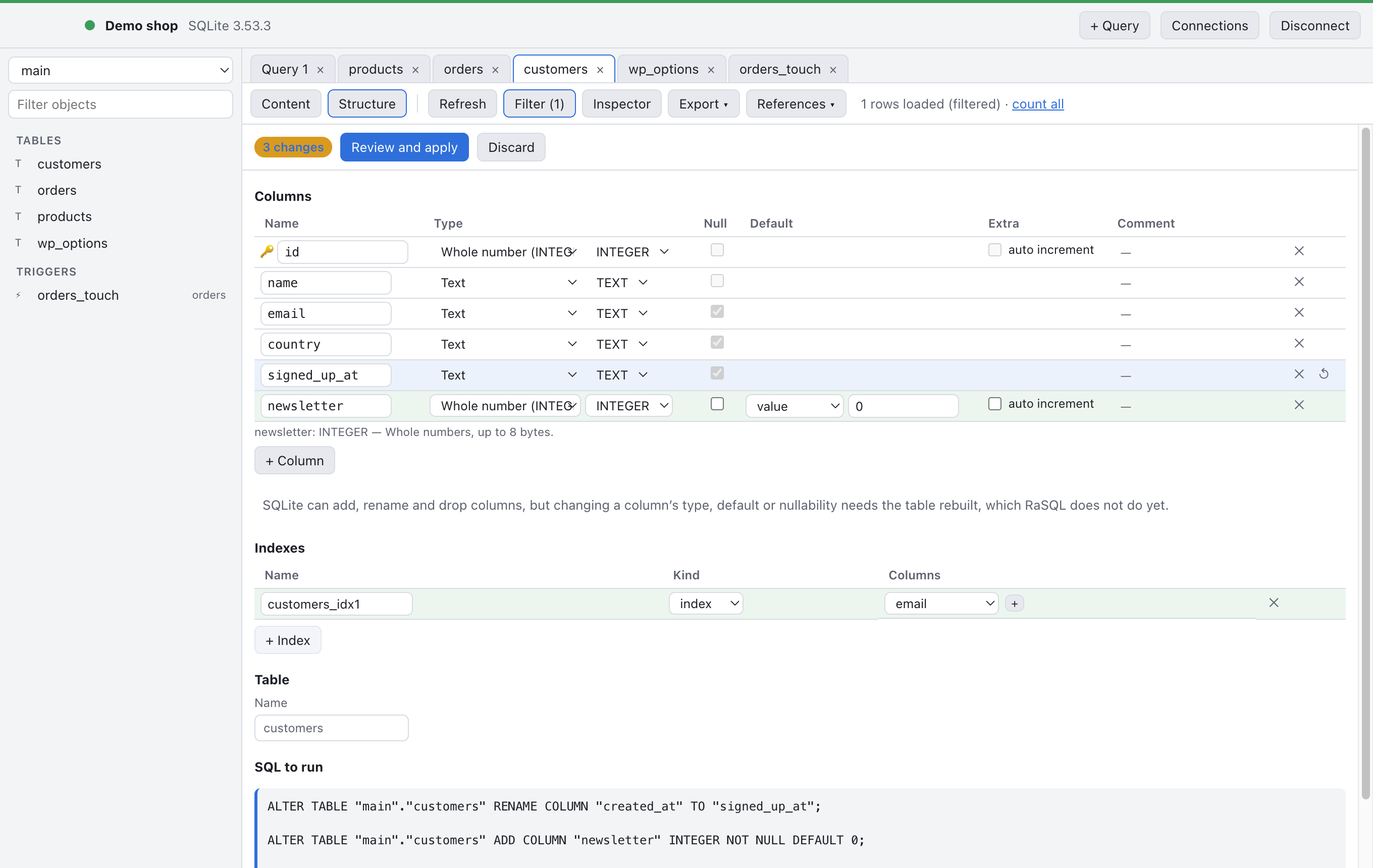
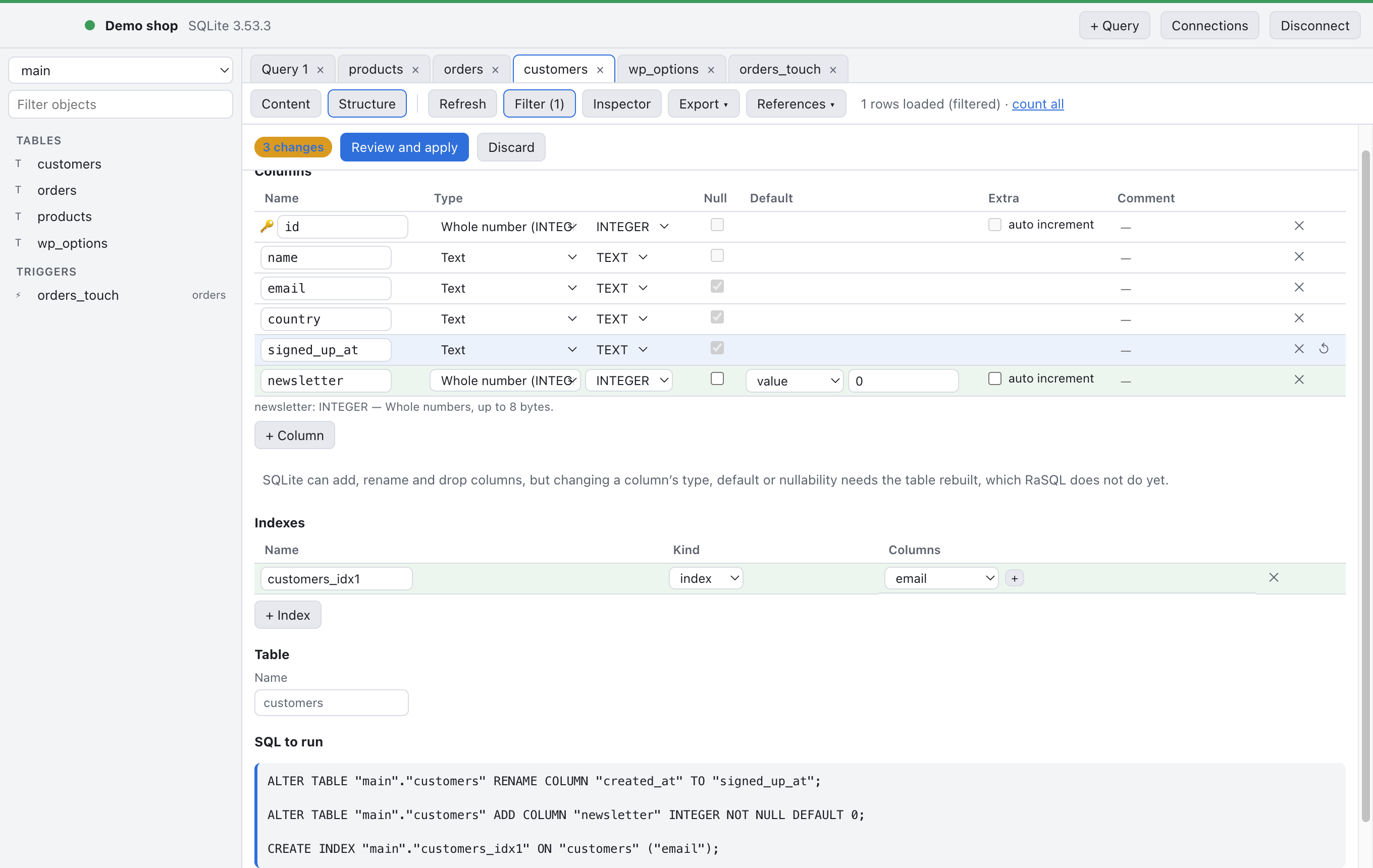
Triggers, routines and events open as readable definitions, with a plain-language line about what they do and when they fire.
New in 0.2: AI agents, with you in charge
RaSQL now includes an MCP server, so agents such as Claude Code can query your databases, look at table structures, and propose changes. Connecting Claude Code takes one command (File › MCP Server… shows the exact one for your install):
|
1 |
claude mcp add rasql -- /Applications/RaSQL.app/Contents/MacOS/RaSQL mcp |
Nothing is shared until you say so
The first time an agent connects, RaSQL asks whether you allow it. Even then, the agent sees nothing: every connection, and every LocalWP site, starts out Hidden. You open up each one yourself, with one of five settings:
- Hidden: agents don’t know the connection exists.
- Read-only: agents can read; any write is refused without asking you.
- Ask: agents can read, and every change waits for your approval.
- Secure: like Ask, but your operating system confirms it’s really you.
- Read/Write: agents can change data, except for changes that can lose data. Those always ask.

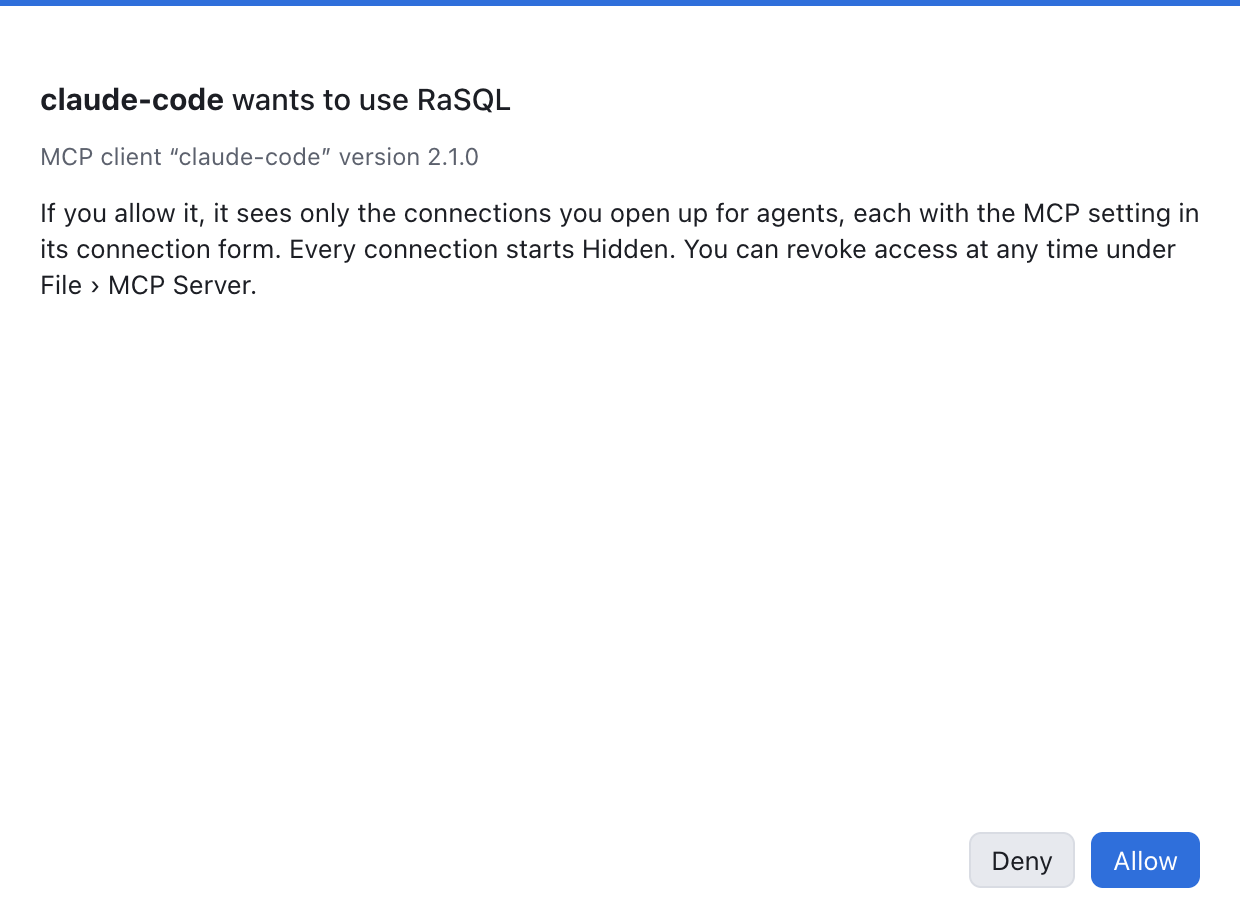
While an agent is working with a connection, its window says so.
Asking a question
Here is the kind of question you can now ask about your own data. This session is simulated, but every number in it comes from real queries against the demo shop database in the screenshots above.

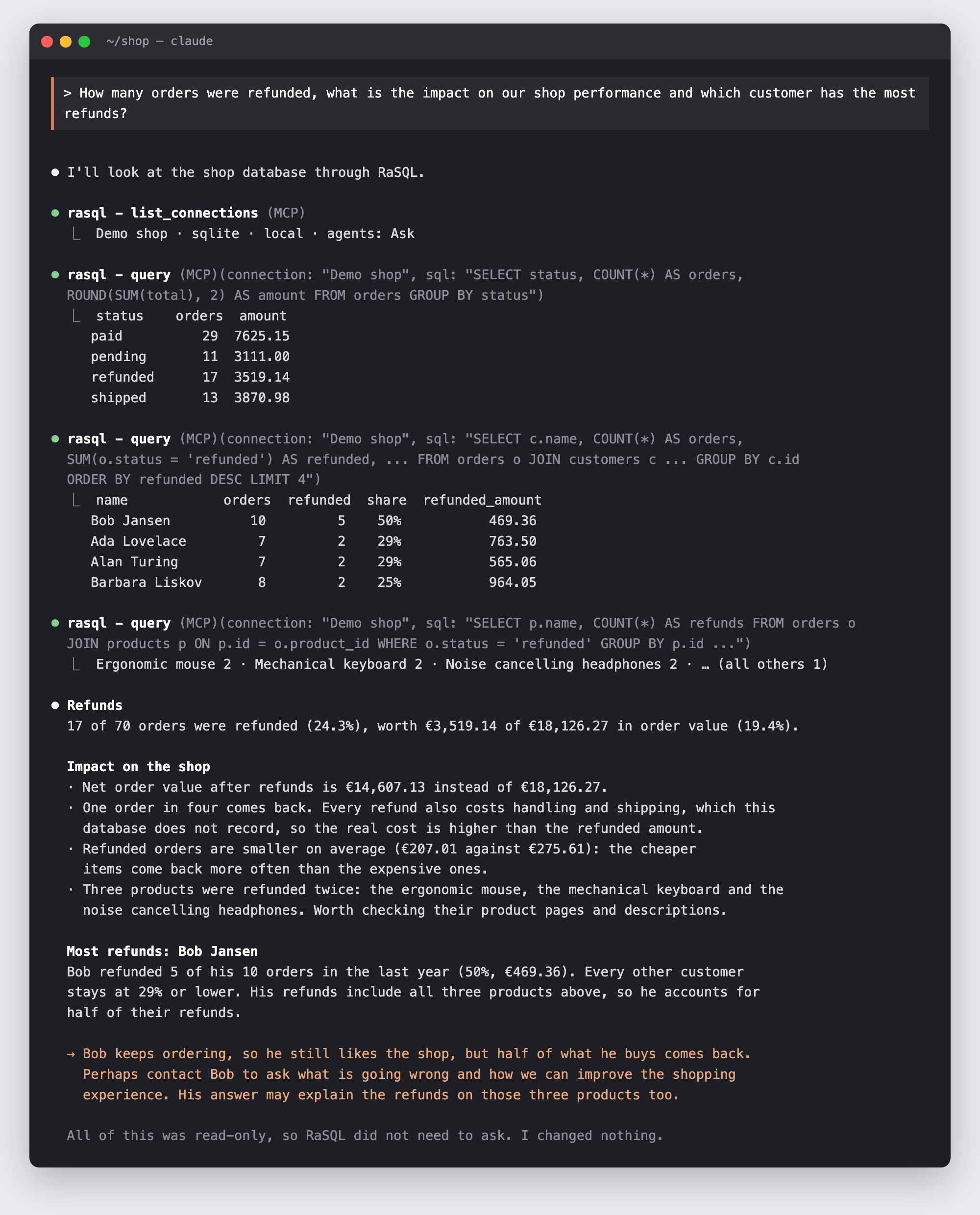
Note what the agent did not need: no password, no connection string, no access to anything but the Demo shop. Passwords never reach an agent, and each connection is limited to its own database.
Changes wait for you
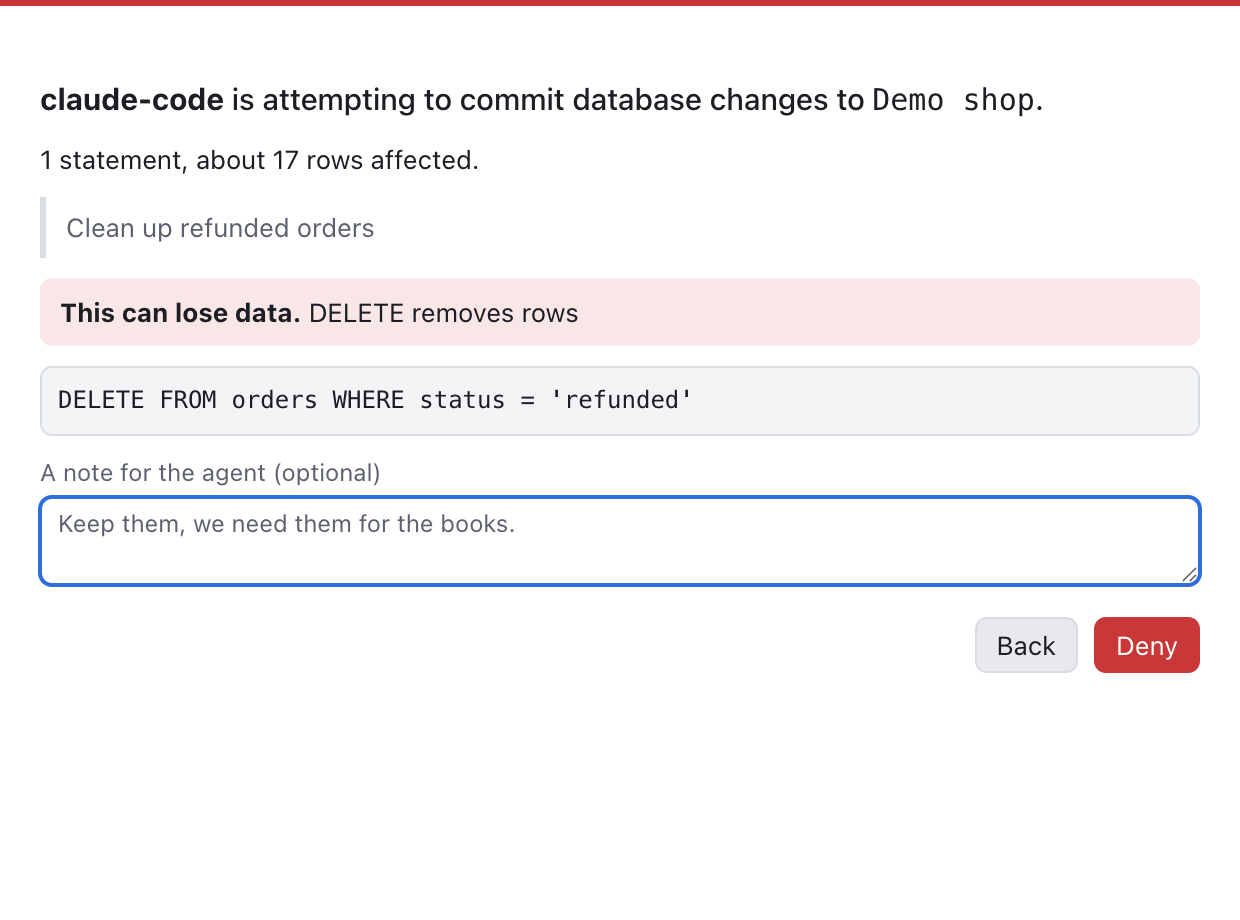
When an agent wants to change data on an Ask connection, RaSQL shows you the statement, the agent’s reason, and how many rows it affects. Review shows the rows as they are now. You decide: once, for this session, always, or deny.
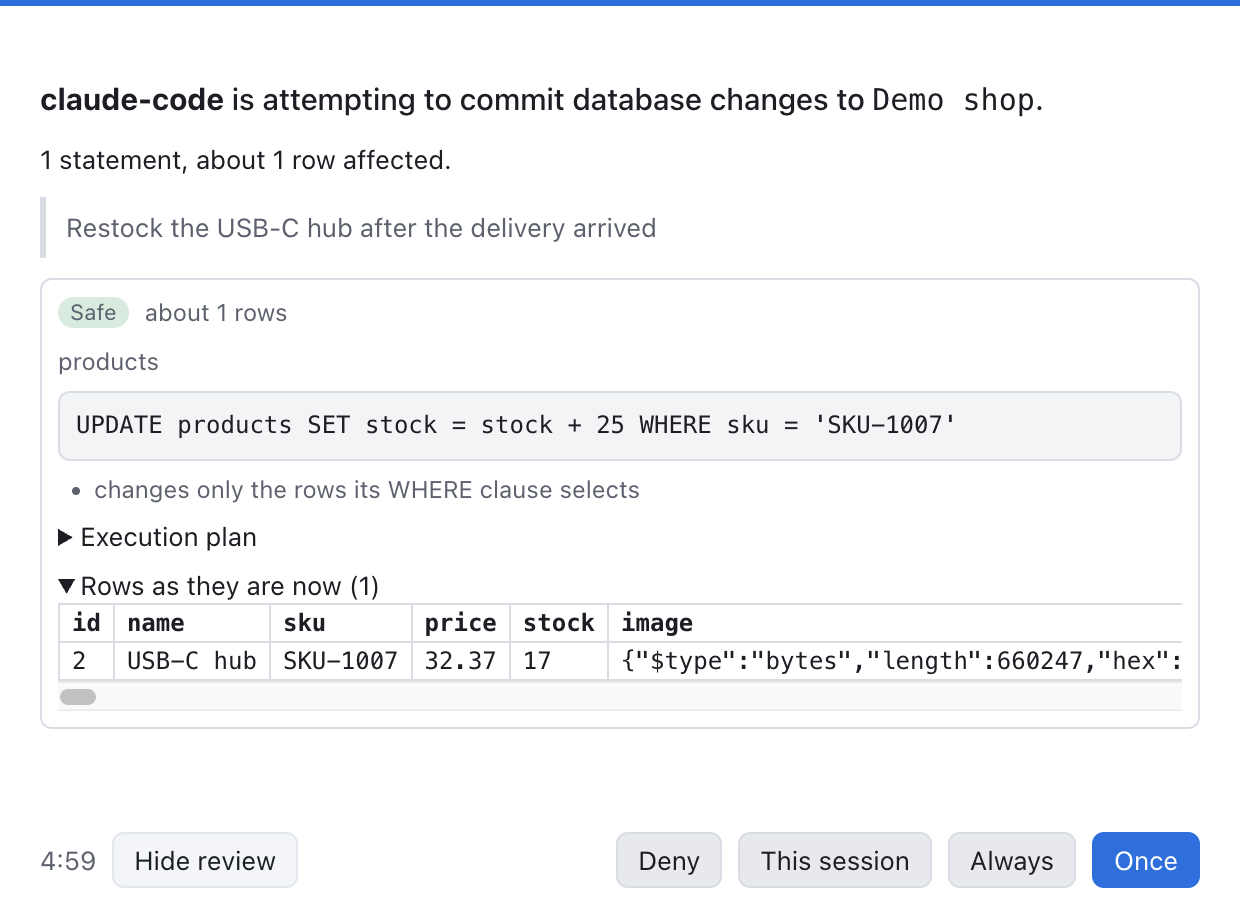
Statements that can lose data, such as DELETE, DROP, TRUNCATE, an UPDATE without WHERE, or narrowing a column whose data won’t fit, are flagged in red and always ask, even on Read/Write. You can deny with a note, and the note goes back to the agent.
Secure: only you can approve
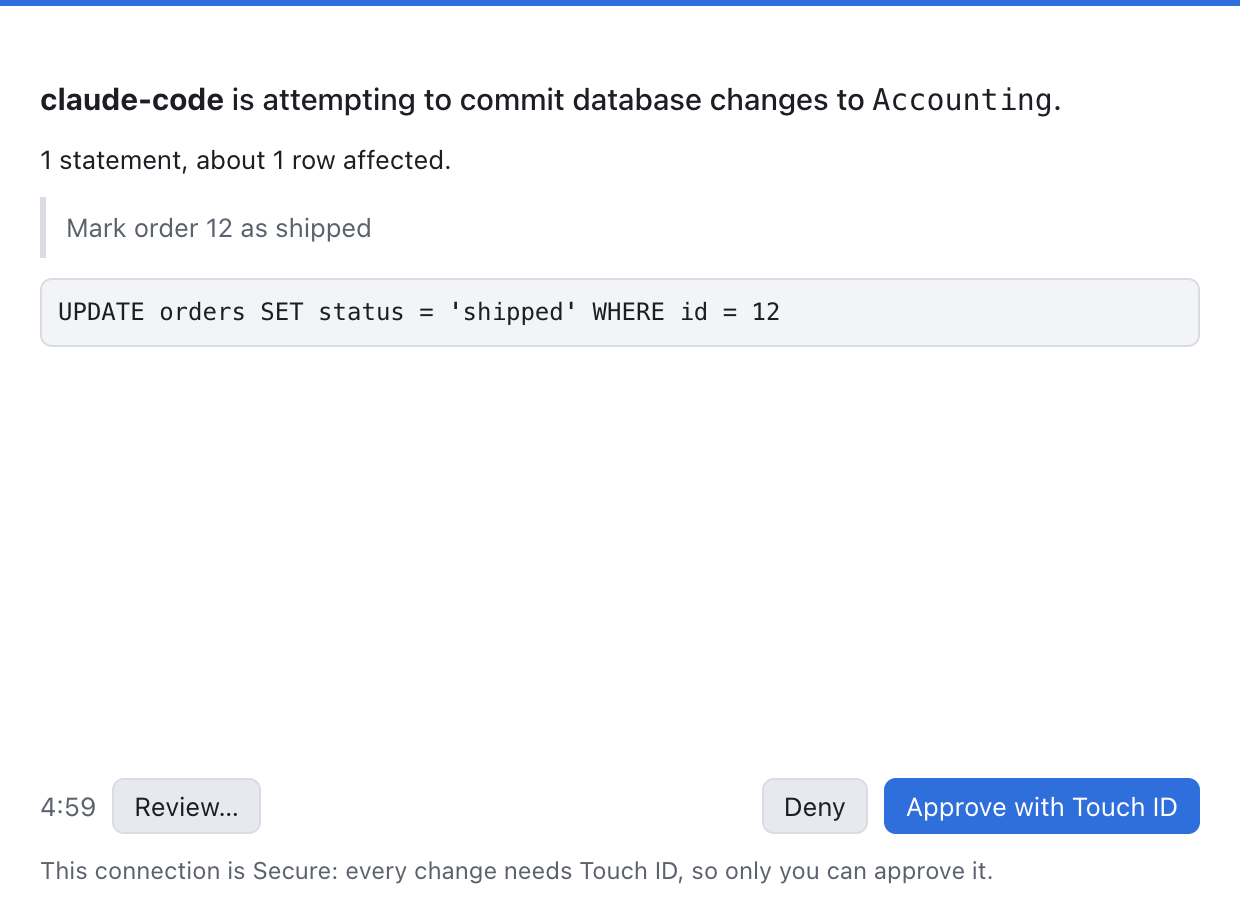
For connections that matter most, Secure mode has your operating system confirm every change: Touch ID or your password on macOS, Windows Hello on Windows, polkit on Linux. No other program can click Approve for you.
Everything is logged
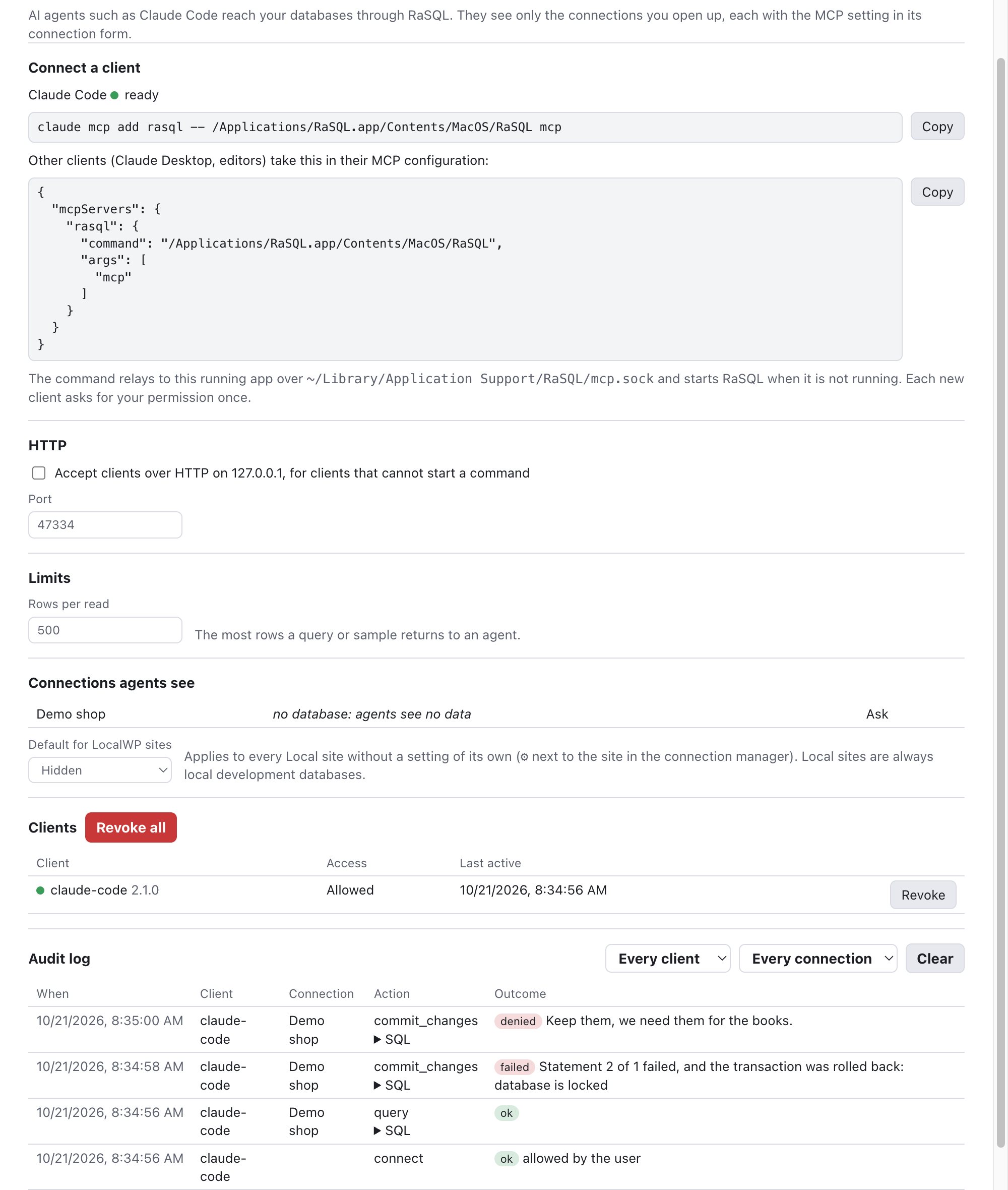
The MCP window lists your clients, which connections agents can see, and an audit log of every action, including refused ones. You can revoke a client at any time.

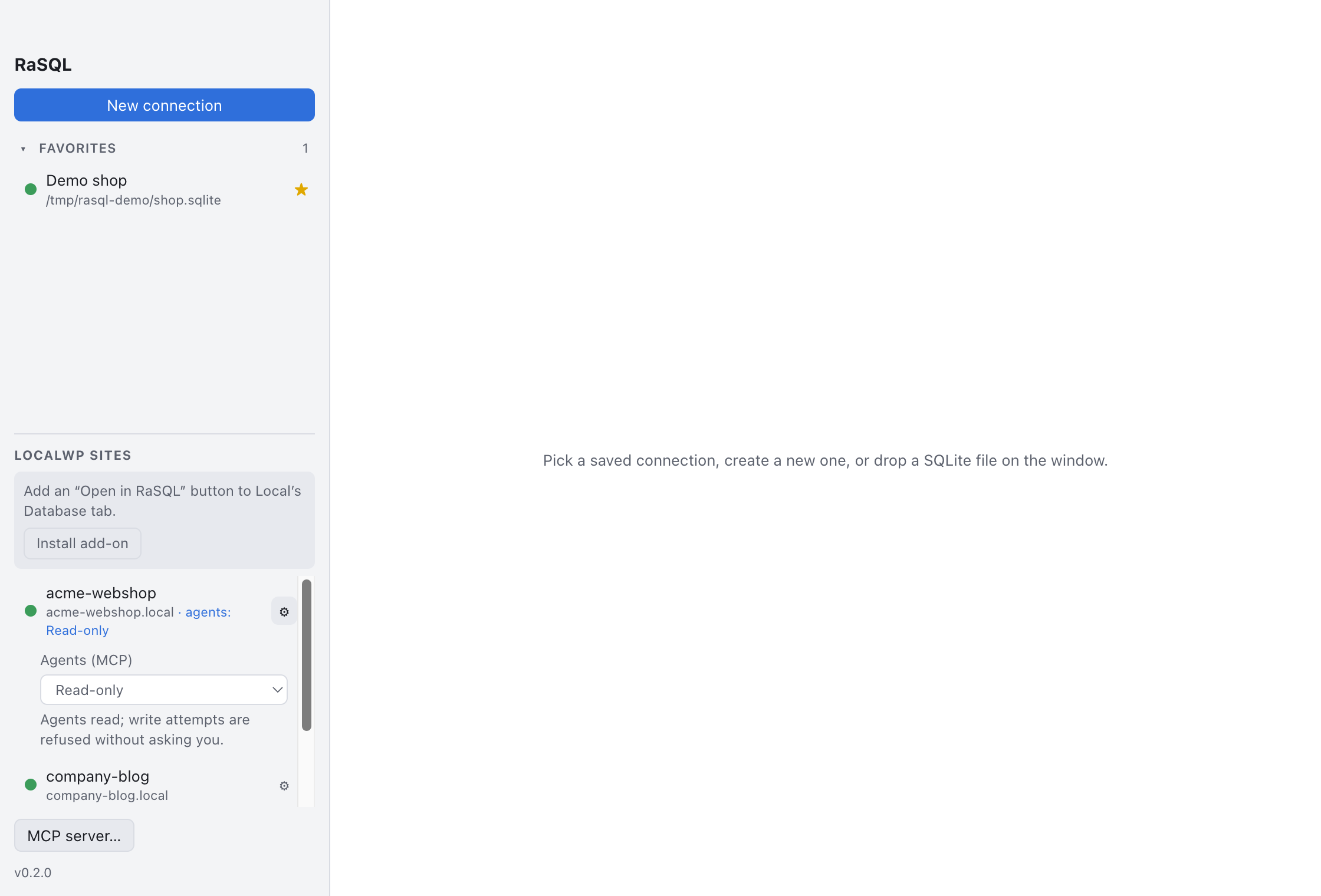
LocalWP sites get their own setting through the gear next to each site, so you can let an agent read your local WordPress database without touching anything else.
Get RaSQL
RaSQL is free and open source (GPL-3.0). It is Mac first, with builds for Windows and Linux, on both Intel/AMD64 and ARM64. Download the latest release from GitHub; the install guide has the steps per OS.
Testers wanted on Windows and Linux. MCP has so far only been tested on macOS. If you use RaSQL on Windows or Linux, please connect an agent, try Ask and Secure on a test connection, and tell us how it went, good or bad.
RaSQL is co-authored with Claude, written from scratch. It’s still young, so feedback and issues are very welcome.